China Top 10 Security Cameras When Power Goes Out?

Time:2026-11-10 Author:Sienna
0%

When the lights fail, a security camera’s fate depends on more than its model. A wired camera connected to an unprotected outlet usually stops recording. A battery-powered camera may keep working, but only while its battery lasts. The router, recorder, and network connection matter too. One dead link can leave a dark screen.

For context, surveillance-industry analyst John Honovich, founder of IPVM, offers a useful reminder: “A camera is only as dependable as the power and network supporting it.” That principle shapes this guide to China’s top 10 security cameras for power outages. The comparison looks beyond image quality, checking battery backup, local storage, cellular connectivity, and compatibility with backup power. A camera may stay on while its Wi-Fi router goes down. That detail is easy to miss.

So, “What happens to security cameras when the power goes out?” The honest answer is: it varies. Some models continue recording to a memory card; others lose live viewing or stop entirely. Battery capacity, recording settings, temperature, and signal strength can all change runtime. No single feature guarantees uninterrupted coverage. Buyers should check exactly which parts of the system remain active, and for how long. Even a careful comparison has limits: manufacturers’ runtime estimates may not match a busy home, a weak signal, or a cold night.
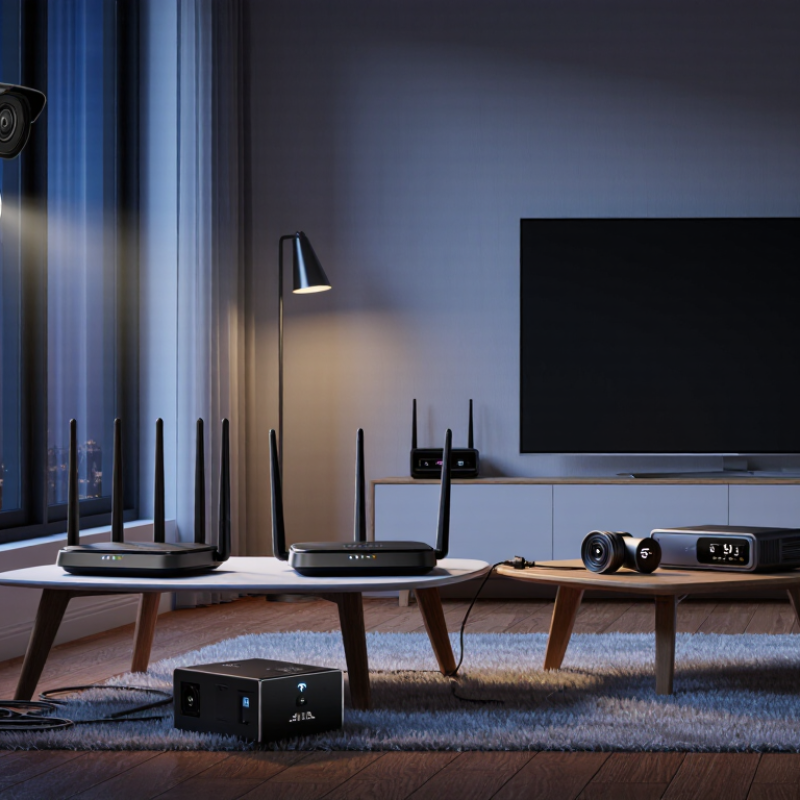
China Top 10 Security Cameras When Power Goes Out?

How Security Cameras in China Operate During Power Outages

When mains power fails, a security camera does not automatically keep working. Its behavior depends on the camera, its power source, and the rest of the system. In Chinese homes and small shops, a common setup uses an adapter or a PoE switch. If that device loses power too, the camera goes dark. Simple, but often missed.

A battery-backed camera may keep recording locally, while a UPS can power a wired camera and recorder. For PoE installations, the UPS must support the switch as well as the recorder. A router also needs backup power if remote viewing or cloud uploads are expected. Without internet, some systems still save footage to a memory card or local recorder, but alerts may not arrive. Not always.

Runtime varies with battery size, night-vision lighting, temperature, and recording settings. A camera rated for several hours may last less when it records continuously in a cold, poorly insulated entrance. Test the setup by disconnecting mains power and checking live view, recording, timestamps, and playback. I would not trust a specification alone; a small test can reveal weak links. Backup batteries age, and a neglected UPS can fail quietly.

Backup Power and Connectivity Features to Compare

When comparing ten security cameras for outages, separate backup power from backup connectivity. A rechargeable battery may keep the camera running, but it cannot revive a dead Wi-Fi router. Check the stated runtime at your chosen settings; continuous recording usually drains batteries faster than motion-triggered clips. Ask whether night vision, cold weather, and frequent alerts reduce that estimate. Small details matter. Local storage can preserve footage when internet service drops, provided the camera itself remains powered and the storage is accessible afterward.

For wired cameras, compare compatibility with an uninterruptible power supply, or UPS, and check what equipment it must support. A UPS may need to power the camera, recorder, and router together. Battery-powered models avoid some wiring, but their charging needs can be inconvenient during a long outage. Cellular connectivity can provide another route for alerts, though it may require a separate data plan and reliable local signal. Test the setup by unplugging household power and internet separately; these failures are not identical. Manufacturer runtime figures are useful, but they rarely match every home. That limitation deserves attention. A simple test can reveal whether clips save, alerts arrive, and the camera stays online when it matters.

China’s Top 10 Security Cameras for Power Outages

A practical ranking of China’s top 10 security cameras for power outages should start with how each system stays online, not with image resolution alone. Look for a rechargeable battery, optional solar charging, local video storage, and clear low-battery alerts. A camera that records to a nearby hub may keep footage when internet service fails, but the hub needs backup power too. Small details matter: Can it capture the front gate at night? Can you replace or recharge its battery without removing the mount?

The U.S. Energy Information Administration’s Electric Power Annual reported that customers averaged 5.6 hours of electricity interruptions in 2022, including major events; without those events, the average was 2.1 hours. That makes stated backup runtime worth checking against real operating conditions. Cold weather, frequent motion alerts, and infrared night vision can drain batteries faster than a quiet daytime test suggests. Power matters most.

For a fair top-ten comparison, record each camera’s tested runtime, charging method, storage options, and behavior after power returns. Check whether it resumes recording automatically. Also test it with the router unplugged; backup power for a camera does not guarantee a working network. One limitation is easy to overlook: solar charging depends on usable daylight and placement, so it may not help during extended storms. Manufacturer estimates are useful, but they are not a substitute for testing at the intended site.

Choosing a Camera for Homes, Businesses, and Remote Sites

Choosing a security camera for a home, business, or remote site starts with one practical question: what must keep working during an outage? At home, a battery-powered camera can cover a front door or driveway without a nearby outlet. Check its tested recording time, standby time, and cold-weather performance. Motion-triggered recording may stretch battery life. Small detail, big difference. Remember that a working camera may still lose alerts if the home router has no backup power.

For a shop or office, consider the whole system, not just the camera. A UPS can keep cameras, a recorder, and network equipment running briefly, but runtime depends on the connected load and battery condition. Test the setup by unplugging normal power and checking live viewing, recording, and playback. Local storage can preserve footage when internet service drops; cloud access alone may not. It is easy to overlook the recorder.

Remote sites often need a battery-supported camera with solar charging, weather-resistant housing, and storage suited to weak or unavailable networks. Shade, winter daylight, and dust can reduce charging, so panel size matters in real conditions. Choose based on the site’s actual outage length and inspection schedule. No camera is maintenance-free. A simple monthly power test can reveal problems before an emergency.

Estimated Security Camera Runtime During a Power Outage

Illustrative estimates use 80 Wh of usable energy from a nominal 100 Wh backup supply, allowing for conversion losses. Runtime is calculated as usable energy divided by estimated average power draw. Actual results vary with camera settings, infrared night vision, recording, network equipment, temperature, and battery condition.

Installation, Backup Testing, and Outage-Time Limitations

A camera’s backup is only useful if the whole recording path stays powered. Install the camera, recorder, router, and modem on the planned backup circuit, then check each device’s power draw. Keep battery units dry, accessible, and close enough to avoid tangled extension leads. One small oversight: infrared lights and heaters can raise consumption at night. Test with them enabled.

The U.S. Energy Information Administration reported that customers experienced an average 5.5 hours of power interruptions in 2022, falling to 2.7 hours when major events were excluded. These figures describe U.S. outages, not guaranteed camera runtimes. Treat them as a planning reference, not a promise. During setup, unplug mains power and time the system under normal recording conditions. Confirm local storage works, timestamps remain correct, and remote viewing fails gracefully when the router loses service. Repeat the test after changing batteries or adding equipment. Even a careful test is only a snapshot: cold weather, aging cells, and frequent night recording can shorten runtime. Label the tested duration beside the backup unit, and leave a safety margin.

China Top 10 Security Cameras When Power Goes Out? - Installation, Backup Testing, and Outage-Time Limitations
No. Camera or System Setup Backup Power and Indicative Runtime Installation Considerations Backup Test Outage-Time Limitations
1 Battery-powered Wi-Fi camera with local microSD recording Internal rechargeable battery. Runtime varies by model, temperature, signal strength, and event frequency; event-based use may last substantially longer than continuous recording. Check that the camera supports local recording and that the memory card is compatible. Position it within reliable Wi-Fi range. Disconnect mains power to the charging point, then trigger a test event and confirm the recording is saved locally. The camera may keep recording, but remote viewing and alerts usually stop if the router or internet connection loses power.
2 Solar-assisted battery Wi-Fi camera Internal battery supported by a correctly installed solar panel. Backup duration depends on sunlight, panel orientation, shading, and recording activity. Place the panel where it receives suitable sunlight and use weather-rated cable connections. Follow the camera maker’s charging and mounting instructions. Test the camera during a power interruption and verify local recording; separately confirm that the panel is charging the battery. Solar charging is not guaranteed during extended cloudy periods, heavy shading, or high usage. A separate powered router is still needed for Wi-Fi access.
3 Battery-powered cellular camera with local storage Internal battery; runtime is model- and usage-dependent. Cellular transmission and frequent live viewing can increase battery consumption. Check cellular coverage at the installation point, data-plan requirements, and whether the camera stores footage locally. With mains power removed, trigger a recording and confirm both local playback and cellular delivery of an alert where service is available. Cellular service can remain available during a local power cut, but outages or congestion at nearby mobile-network infrastructure can interrupt connectivity.
4 One PoE IP camera, recorder, and network equipment on a UPS Illustrative estimate: 400 Wh of usable UPS energy ÷ 25 W total load ≈ 16 hours. Connect the camera’s PoE switch or injector, recorder, and any required router to backed-up outlets. Confirm the UPS can support the load in watts and VA. Test the complete system under normal recording load and confirm that recording continues without a reboot. Actual runtime depends on battery age, UPS efficiency, load, and battery condition. Internet access may still fail if the service provider’s network is affected.
5 Four-camera PoE system with NVR and PoE switch Illustrative estimate: 400 Wh usable energy ÷ 55 W total load ≈ 7 hours. Back up the cameras’ PoE switch, NVR, router, and any required network terminal equipment. Keep the UPS and ventilation clear. Run a simulated outage and check that all four channels continue recording and that the NVR clock and storage remain correct. Adding cameras, infrared illumination, heaters, or other accessories raises the load and reduces runtime. A UPS cannot provide indefinite backup.
6 Four-camera analog system with DVR Illustrative estimate: 400 Wh usable energy ÷ 45 W total load ≈ 9 hours. Connect the DVR, cameras’ power supply, and any required router to the UPS. Verify that the power supply’s output matches the cameras’ specifications. Remove mains input to the UPS using its normal test procedure; verify live views, recording, and playback after the test. Runtime varies with camera power draw and DVR activity. If the cameras use a shared power supply, that supply must also be backed up.
7 Wi-Fi cameras with local NVR, router, and UPS Illustrative estimate: 400 Wh usable energy ÷ 30 W total load ≈ 13 hours. Place the cameras, router, NVR, and any necessary network switch within the backed-up system. Use local recording if available. Test recording and playback with mains power interrupted; confirm that the router and NVR stay online for the same period. Wi-Fi cameras may disconnect if the router is not backed up. Wireless interference or a failed access point can interrupt recording even while power remains available.
8 Wi-Fi camera relying on cloud recording, with router on a UPS Illustrative estimate: 400 Wh usable energy ÷ 18 W for the camera and router ≈ 22 hours; the actual system load may be higher. Back up both the camera and router. If the broadband terminal or modem is separate, it also needs backup power for internet access. Test a local power cut and check whether a clip reaches the cloud. Repeat with the internet connection unavailable to identify what is lost. A powered camera and router cannot upload footage if the internet service is interrupted. Cloud-only recording may leave no locally stored footage.
9 Camera, router, and broadband terminal on a UPS Illustrative estimate: 400 Wh usable energy ÷ 25 W total load ≈ 16 hours. Include the camera, router, and optical network terminal or modem in the backed-up load when remote access is required. Check the service provider’s equipment requirements. Test that the camera records locally and that remote access works during a brief outage; check that all network equipment restarts correctly afterward. Local backup power does not guarantee that the provider’s street-level or upstream network equipment remains operational.
10 Eight-camera PoE system with NVR and a larger UPS Illustrative estimate: 800 Wh usable energy ÷ 80 W total load ≈ 10 hours. Measure the complete load, including the PoE switch, NVR, router, and accessories. Choose a UPS with adequate output capacity and protected outlets. Perform a controlled runtime test under normal recording conditions and record the time until the low-battery warning. Repeat periodically. Actual runtime can be much shorter with aged batteries or a heavier load. Large systems may need a professionally designed backup-power solution.
Runtime figures are illustrative calculations, not guaranteed product specifications. They use usable battery energy divided by an assumed total system load; real UPS runtime varies with battery condition, conversion losses, temperature, and load. Test backup power safely using the UPS test function or its approved procedure, and follow local electrical-safety requirements. In China, confirm that backup equipment is suitable for the site’s electrical supply and the connected devices.

FAQS

Will a security camera keep working during a power outage?

Not automatically. If its adapter or PoE switch loses power, the camera usually stops.

What backup options can keep a camera recording?

A battery-backed camera may save footage locally. A UPS can power a wired camera and recorder.

Does a UPS need to power other devices?

Yes. For PoE, include the switch and recorder. Add the router and modem for remote viewing or uploads.

Can footage still be saved without internet?

Often, yes. A memory card or local recorder may keep recording, but alerts may not arrive. Easy to overlook.

How long will a backup battery last?

It depends on battery size, temperature, night vision, and recording settings. Cold entrances and continuous recording can drain it faster.

How can I check whether my backup setup works?

Unplug mains power and test live view, recording, timestamps, and playback. Try normal night settings too. Small tests matter.

Why should I retest the backup system?

Batteries age, and a UPS may fail quietly. Retest after changing batteries or adding equipment, then label the tested runtime nearby.

Do outage statistics predict how long my camera will run?

No. Reported outage averages describe past interruptions, not camera runtime. I would not trust a printed estimate alone.

Conclusion

What happens to security cameras when the power goes out? Their performance depends on backup power, network availability, and how the system is configured. Cameras without a battery or other backup may shut down, while models with rechargeable batteries or an uninterruptible power supply can continue recording for a limited time. If the internet or local network also fails, remote viewing and cloud uploads may stop, even if the camera remains powered. Local storage and cellular connectivity can help maintain access to footage or alerts, but each feature has practical limits.

This guide compares ten types of security cameras suited to outages, focusing on backup power, storage, connectivity, and ease of setup rather than brand names. It explains how to choose equipment for homes, businesses, and remote sites, where power needs and network conditions can differ. It also covers installation and routine backup testing, including checking battery health, storage capacity, and connection failover. Understanding expected recording time and outage-time limitations can help you select a setup that matches your needs and avoid relying on features that may not work during an extended outage.

Sienna

Sienna

Sienna is a skilled marketing professional with a deep expertise in our company’s core products and services. With a passion for innovation and detail, she plays a pivotal role in crafting insightful blog posts that not only highlight the unique features of our offerings but also provide valuable......