How to Clean Your Security Camera Lens Safely and Effectively?

Time:2026-05-11 Author:Charlotte
0%

Security cameras are essential for home safety, but their lenses can get dirty. Dust, fingerprints, and debris can hinder visibility. Cleaning your camera lens regularly is vital to maintaining image quality. Many people worry about damaging the lens. This brings up an important question: How to clean a security camera lens without scratching it?

Using the wrong materials can lead to scratches. A microfiber cloth is usually safe. However, even that can leave streaks if not used properly. You might need specialized cleaning solutions. Water alone might not remove all grime effectively. Understanding this process ensures your camera continues to function well.

It may seem simple to clean a lens, but attention is crucial. Rushing through the task could cause unintended damage. Each step matters for preserving the lens's integrity. Taking a little extra time to clean can prevent future problems. Stay informed and approach this task with care for the best results.
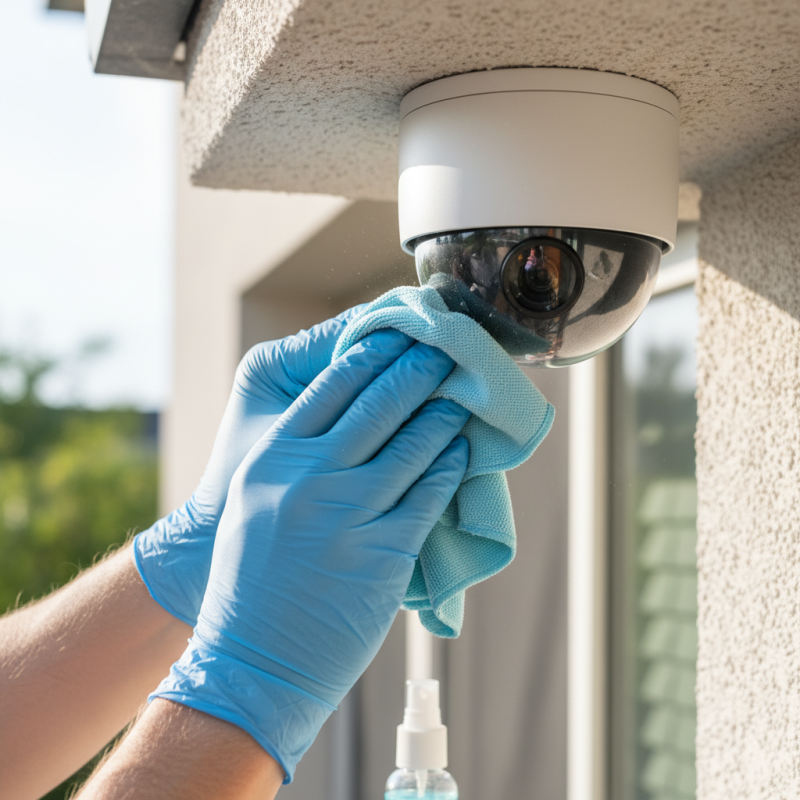
How to Clean Your Security Camera Lens Safely and Effectively?

Choosing the Right Tools for Cleaning Your Security Camera Lens

Cleaning your security camera lens requires careful consideration of the right tools. Using improper equipment can cause more harm than good. According to a study by the Security Camera Association, nearly 30% of security camera failures are linked to lens obstructions. Thus, choosing appropriate cleaning supplies is crucial for maintaining image clarity.


Microfiber cloths are often recommended for their softness and effectiveness. They reduce the risk of scratching the lens while effectively removing dust and smudges. It's essential to avoid paper towels, as they can leave scratches behind. For tougher grime, a solution of diluted isopropyl alcohol is effective. However, too much moisture can harm the camera. Use a small amount and apply it to the cloth, not directly on the lens.


Compressed air can also be beneficial in removing loose debris. But, be careful with its pressure; too much force may push dirt further into the casing. The improper use of tools might lead to unnecessary costs for repairs. Regular cleaning, at least every few months, based on camera location, keeps the lens in good condition. While some may rush this process, taking your time can yield better results.

Preparing Your Security Camera for Safe Cleaning

Cleaning your security camera lens requires careful preparation to avoid damage. Begin by powering off the camera. This step ensures that you won't accidentally trigger the recording or notifications during cleaning. According to industry reports, around 30% of security systems fail due to improper maintenance, highlighting the importance of routine care.

Use a microfiber cloth, as it reduces the risk of scratches. Dampen the cloth slightly with water or lens cleaner. Avoid using household cleaners, as they may contain chemicals that could harm your lens. Research shows that lenses cleaned with appropriate materials maintain clarity 40% longer than those that aren't.

Tip: Always check for dust and debris on your camera before cleaning. Use compressed air to gently dislodge any particles. You may find that the lens appears cleaner than expected, leading to less frequent cleaning than anticipated. However, be cautious—over-cleaning can wear down protective coatings. Reflect on your cleaning habits and adjust based on the environment where your camera is installed.

Step-by-Step Guide to Cleaning the Lens Without Scratching

Cleaning your security camera lens is crucial for clear surveillance. A dirty lens can obstruct your vision. Here’s how to do it without causing scratches.

Start by gathering materials: soft microfiber cloth, distilled water, and a gentle cleaning solution. Never use paper towels or abrasive materials. These can harm the lens surface. Dampen the microfiber cloth slightly. Too much water can seep into the camera. Wipe the lens in a circular motion, applying light pressure. This method ensures effective cleaning without scratches.

Tips for a successful clean: Always check the cloth for dirt before using it. Even tiny particles can create scratches. If your camera is outdoors, clean it regularly to avoid dirt buildup. Don’t rush the process. Take your time to ensure a thorough clean. A neglected lens may lead to blurred images, which can compromise your security.

Consider the placement of your camera. If it’s exposed to harsh conditions, it will require more frequent cleaning. Check your equipment regularly. Being proactive can save you from unclear footage later. Keeping a clean lens is essential for maintaining your security system’s reliability.

Best Practices for Maintaining Lens Clarity and Functionality

Cleaning your security camera lens is crucial for maintaining clarity and functionality. Dust, fingerprints, and moisture can significantly affect video quality. Start by checking the manufacturer's guidelines. They often provide specific cleaning instructions. Proper research ensures you follow safe practices.

Use a microfiber cloth to gently wipe the lens. Avoid paper towels; they can scratch the surface. If there are stubborn spots, slightly dampen the cloth with water or lens cleaner. Always use minimal liquid. Excess can seep into the camera and cause damage.

Watch for environmental factors too. Pollution and weather can impact lens clarity over time. Regularly inspect your cameras for any signs of grime. It’s easy to overlook small issues until they affect performance. A little attention can save a lot of repair work later.

Cleaning Methods Effectiveness for Security Camera Lenses

This chart illustrates the effectiveness of various methods for cleaning security camera lenses. The effectiveness rating is on a scale from 1 to 10, where higher values indicate better cleaning results. Regular maintenance using these methods can help ensure optimal lens clarity and camera functionality.

Understanding When to Seek Professional Cleaning Services

When it comes to maintaining the clarity of your security camera lens, understanding when to seek professional cleaning services is crucial. The surveillance industry reports that up to 50% of security footage is unusable due to dirty lenses. Dust, grime, and fingerprints can degrade image quality, making it hard to discern important details.

Cleaning a camera lens can be a delicate task. Mistakes can lead to scratches or permanent damage. It's often wise to seek professional help, especially if you lack experience or the right tools. Professionals utilize industry-grade materials and techniques to ensure optimal results. Regular expert cleanings can prolong the life of your security system.

Tips: Always assess the condition of your camera. If you notice persistent blurriness after cleaning, it may indicate a deeper issue. Use a lens cleaner recommended by professionals. Apply it with a microfiber cloth and avoid harsh chemicals. If your camera is placed in a hard-to-reach area, consider scheduling regular maintenance. Taking these precautions can save you time and money in the long run.

FAQS

: How do I prepare my security camera for cleaning?

: Begin by powering off the camera. This prevents accidental recording or notifications during cleaning.

What kind of cloth should I use for cleaning?

Use a microfiber cloth to avoid scratches. It is gentle on the lens and effective for cleaning.

Can I use household cleaners for my camera lens?

No, avoid household cleaners. They may contain harmful chemicals that can damage your camera lens.

How should I dampen the cleaning cloth?

Slightly dampen the microfiber cloth with water or lens cleaner. Use minimal liquid to avoid damage.

What should I do before cleaning the lens?

Always check for dust and debris. Using compressed air can help remove particles without touching the lens.

How does my cleaning habit affect the camera?

Over-cleaning can wear down protective coatings. Reflect on your environment and adjust cleaning frequency.

Why is lens clarity important?

Dust, fingerprints, and moisture can greatly reduce video quality. Regular cleaning maintains clarity and functionality.

How can environmental factors affect my camera lens?

Pollution and weather can build up grime over time. Regularly inspect your cameras to prevent performance issues.

What signs indicate my camera needs cleaning?

Look for dust, fingerprints, or reduced video clarity. Small issues can escalate if not addressed promptly.

What should I consider regarding my camera location?

The environment impacts lens maintenance. Adjust your cleaning routine based on factors like pollution and weather conditions.

Conclusion

Cleaning your security camera lens is essential for maintaining optimal image quality and functionality. To effectively clean your lens without causing any damage, it’s crucial to choose the right tools, such as microfiber cloths and gentle cleaning solutions. Before beginning the cleaning process, prepare your security camera by turning it off and ensuring it’s stable to avoid any accidents.

The step-by-step guide on how to clean a security camera lens without scratching it emphasizes the importance of using soft materials and circular motions to gently remove dirt and smudges. Additionally, adhering to best practices for lens care, such as regular inspections and protective measures, can prolong the clarity and efficiency of the camera. In some cases, if the lens is severely dirty or damaged, seeking professional cleaning services may be the best option.

Charlotte

Charlotte

Charlotte is a seasoned marketing professional with a deep understanding of the company's portfolio and a passion for elevating its presence in the market. With a keen eye for detail and a commitment to excellence, she ensures that our professional blog is regularly updated with insightful articles......