China Best Security Camera Cable How to Prevent Cuts?

Time:2026-09-30 Author:Sophia
0%

Security cameras can fail long before their lenses or software stop working. A hidden cable may run behind a gate, across a warehouse ceiling, or beside a public walkway. One sharp tool, repeated bending, or careless maintenance can interrupt the entire surveillance chain. The practical question is clear: How to protect security camera cables from being cut?

Industry evidence shows why physical protection deserves equal attention. Verizon’s 2024 Data Breach Investigations Report analyzed 30,458 security incidents and 10,626 confirmed breaches. It found that the human element appeared in 68% of breaches. This report focuses on cybersecurity, not cable damage. However, it highlights a wider lesson: security systems often fail through ordinary human actions. A rushed installation can leave exposed cable, loose conduit, or an obvious entry point.

NIST SP 800-53 Rev. 5 recommends controlled physical access, monitoring, and protection for information-system components. These principles support practical cable decisions. Installers should consider metal conduit, armored cable, tamper-resistant fasteners, protected junction boxes, and routes above accessible reach. Weather exposure matters too. Water entering a connector can create failure without any visible cut. Small details matter.

A stronger design also allows inspection. Technicians should test signal loss, continuity, grounding, and network performance after installation. They should photograph cable routes before walls or ceilings close. This creates useful maintenance evidence. Still, no single product prevents every failure. Overconfidence is a weakness. The best approach combines suitable cable construction, careful routing, physical barriers, controlled access, and scheduled checks. Performance improves when prevention becomes part of routine maintenance, not an emergency reaction.
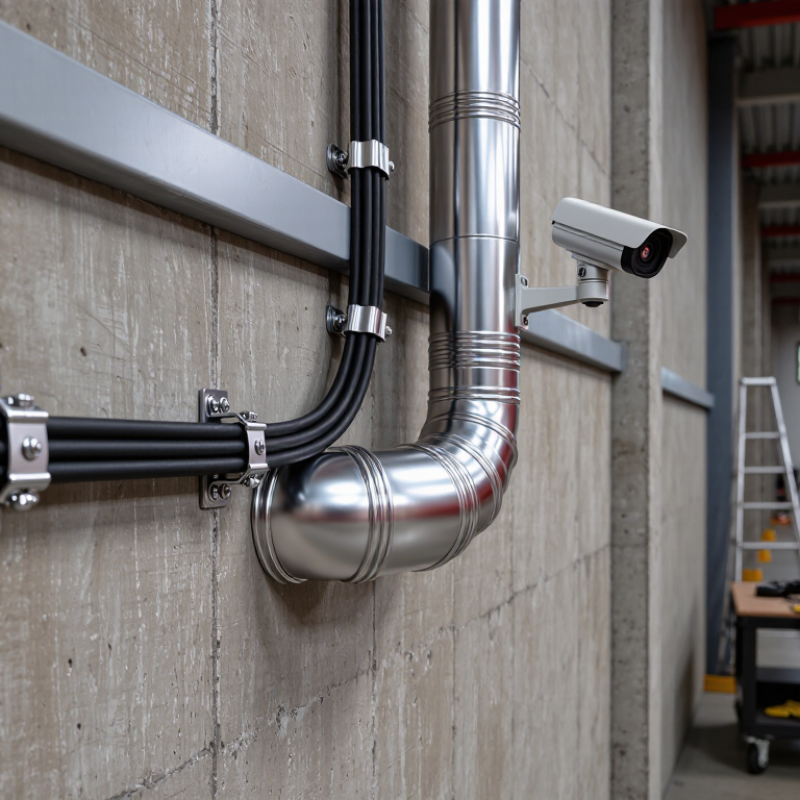
China Best Security Camera Cable How to Prevent Cuts?

What Makes Security Camera Cables Vulnerable to Cuts?

What Makes Security Camera Cables Vulnerable to Cuts?

Security camera cables are often weakest where people can reach them. Exposed runs along fences, ceilings, and exterior walls invite accidental or deliberate cuts. Coaxial and twisted-pair cables can fail when installers use sharp staples, tight bends, or excessive pulling force. Fiber cables resist electromagnetic interference, but their glass cores still dislike crushing and sudden bending.

The Verizon 2024 Data Breach Investigations Report analyzed 30,458 security incidents and 10,626 confirmed breaches. Its findings recognize physical actions as part of the threat landscape. That matters for surveillance design. A camera may remain visible, yet its cable can disappear behind a thin plastic conduit. One clean cut can remove video, power, or both. Outdoor jackets also become brittle under ultraviolet exposure and temperature changes. Small details matter.

Tips: Route cables through metal conduit or protected raceways, especially below reachable height. Keep power and data paths away from gates, ladders, and public access points. Use cable with suitable abrasion, UV, and moisture ratings. Leave gentle service loops; tight, stretched cable fails more easily. Test the entire route after installation. A certification label alone does not prove the cable is protected.

In field inspections, installers sometimes focus on camera angles and forget the final meter of cable. That is an avoidable weakness. The most expensive camera can still become useless through an unprotected section behind a gate.

What Makes Security Camera Cables Vulnerable to Cuts?

Security camera cables are vulnerable when their outer jacket is thin, unsupported, exposed to sharp edges, or installed without conduit. The chart compares the conductive components commonly found in three cable constructions. A cut jacket can progressively damage these internal elements and interrupt video or power.

Construction reference: twisted-pair Ethernet contains four pairs (eight insulated conductors); RG59 coaxial cable contains one center conductor and a conductive shield; 18/2 power cable contains two insulated conductors. Actual cut resistance depends on jacket material, thickness, armor, and installation conditions.

How to Choose Cut-Resistant Security Camera Cables from China

Security camera cables often fail at exposed points, not inside the recorder cabinet. Sharp metal edges, repeated bending, and careless pulling can slice a soft jacket. Choosing cut-resistant security camera cables from China requires more than checking a product photo.

Start with the jacket construction. Look for reinforced PVC, LSZH, polyurethane, or braided protective layers. Ask suppliers for cut-force results, abrasion cycles, bend testing, and sample inspection records. IEC 60332 addresses flame behavior, but it does not automatically prove cut resistance. This difference matters. A cable may resist fire yet fail under a utility knife. Request test reports from an independent laboratory, with the cable model, test method, and date clearly shown.

Market reports also support stronger physical protection. MarketsandMarkets’ 2024 video surveillance report describes continued growth in network camera deployment, increasing demand for reliable infrastructure. BSRIA’s structured cabling research highlights the importance of installation quality and lifecycle performance. These reports do not measure cable cuts directly, so buyers should avoid overstating their conclusions. That is an easy mistake.

Before ordering from China, compare factory samples under real conditions. Drag cables through a steel tray, bend them around a 30-millimeter corner, and inspect the jacket afterward. Confirm conductor size, shielding, waterproof rating, operating temperature, and batch consistency. Ask for pre-shipment inspection photos. A low price can hide weak reinforcement. Sometimes, even a good specification is not enough. Testing the actual batch remains essential.

How to Plan a Cable Route to Minimize Cutting Risks

Plan the security camera cable route before drilling, pulling, or closing walls. A marked route prevents hurried cuts and costly rework. Walk the site with a printed floor plan. Note doors, sharp corners, moving equipment, heat sources, and future maintenance access. Keep cables away from power lines where practical. Use separate pathways and maintain clear spacing near electrical services.

The 2024 Verizon Data Breach Investigations Report found human involvement in 68% of breaches. That figure concerns digital security, but the lesson also fits installation work. Small decisions create large risks. Label both cable ends, photograph hidden sections, and record every penetration. Use conduit or protective sleeves where cables pass through metal, masonry, or exposed ceiling spaces. NFPA 70, Article 300.4, requires protection where wiring may face physical damage. Do not rely on cable insulation alone.

Leave a gentle service loop near the camera and network cabinet. Avoid tight bends that crush the conductor or strain the connector. Test continuity before covering the route. Then test again after fastening it. This may feel repetitive. It is cheaper than cutting into finished surfaces.

In practice, installers sometimes route too close to a future doorway because the shortest path looks efficient. That choice needs reconsideration. A slightly longer route, supported at regular intervals and protected at contact points, usually reduces accidental cuts during repairs, cleaning, and renovation. Record the final route for the next technician. They should not have to guess.

How to Install Security Camera Cables with Protective Measures

Installing security camera cables safely requires more than hiding them from view. Plan each route before drilling, and keep cables away from sharp metal edges, moving parts, and hot surfaces. Use outdoor-rated cable in exposed areas. Run it through UV-resistant conduit, especially along walls or fences. Leave a small service loop near the camera and recorder. This prevents strain when equipment needs adjustment.

Protect every entry point with a suitable cable gland or sealed fitting. Water often enters through tiny gaps around wall penetrations. Inside the conduit, avoid tight bends and crushing pressure. Secure the route with clips at regular intervals, but do not overtighten them. A crushed cable may pass a quick test and fail later. I once focused too much on appearance and missed a rough edge near a junction box. It was a useful reminder.

Tips: Inspect the entire path by hand before pulling the cable. Add grommets where cables pass through metal. Label both ends clearly. Test video and power before closing the conduit. Check the installation again after heavy rain or strong wind. These steps reduce accidental cuts and make future maintenance safer. Still, no protective method is perfect; review weak points as the site changes.

China Best Security Camera Cable How to Prevent Cuts? - How to Install Security Camera Cables with Protective Measures

Installation Area Typical Cable Protective Measure Installation Practice How It Helps Prevent Cuts Inspection Check
Indoor walls and ceilings Ethernet cable for IP cameras; coaxial cable for compatible analog systems Cable raceway or suitable conduit Route through the protected channel and use smooth fittings at bends and entry points. Keeps cable away from sharp edges, tools, and routine contact. Check that covers are secure and the cable is not pinched.
Exterior walls Cable rated for the outdoor exposure and camera system UV-resistant conduit or a protected cable route Secure the route to the structure; seal wall penetrations with an appropriate weatherproof seal. Reduces exposure to sharp objects, weather-related wear, and accidental handling. Look for loose fittings, cracked conduit, and damaged seals.
Ground-level or accessible routes Cable specified for the installation environment Rigid conduit or a guarded, inaccessible route Avoid exposed runs near walkways, landscaping tools, and vehicle traffic; follow local burial requirements if buried. Adds a physical barrier where accidental cuts or impact are more likely. Check for exposed sections, movement, and damage after landscaping or site work.
Doorways and cable entry points Cable compatible with the system connectors and route Grommets, bushings, or edge-protecting fittings Pass cable through a protected opening rather than directly over a sharp metal or masonry edge. Prevents abrasion and cuts where cable passes through an opening. Confirm the cable jacket does not rub against the opening edge.
Corners and changes of direction Ethernet or coaxial cable, as required by the camera system Swept bends, corner guards, and compatible clips Follow the cable maker’s bend-radius guidance; do not kink or crush the cable. Reduces stress and abrasion that can weaken the jacket or conductors. Check for tight bends, flattened sections, and loose clips.
Shared building routes Cable with the required building and fire rating Approved raceway and firestopping at rated penetrations Use materials permitted by local electrical and building codes; keep data cabling properly separated from power wiring. Protects the route from construction damage while supporting code-compliant installation. Verify the cable rating and confirm penetrations are properly sealed.

Select cable, conduit, and installation methods for the actual environment and camera system. Follow manufacturer instructions and applicable local codes.

How to Inspect and Maintain Cables Against Future Cuts

China Best Security Camera Cable: How to Prevent Cuts?

Inspect security camera cables on a fixed schedule, not only after a camera fails. Walk the route with a flashlight and check for flattened jackets, fresh scrape marks, loose clips, and exposed shielding. Pay special attention to door edges, sharp conduit entrances, ceiling grids, and places where rodents may enter. A simple inspection log should record cable location, damage severity, test results, and repair dates. NFPA 70B emphasizes documented electrical maintenance programs and condition-based inspections. That principle also suits low-voltage camera cabling. Keep connectors dry. Seal unused openings.

Test signal quality before moving any cable. Record video loss, power voltage, link speed, and nighttime performance. Uptime Institute’s 2023 Global Data Center Survey reported that 60% of significant outages cost more than 100,000 US dollars. A damaged camera cable may not create that scale of loss, but missed evidence and repeated service visits still create measurable costs. Small defects become expensive when ignored. They often do.

During maintenance, avoid pulling a cable by its connector. Use gentle bends, protective conduit, and strain relief near every termination. Replace crushed sections instead of wrapping them permanently with tape. This is where many teams compromise. I have seen clean-looking repairs fail after rain or vibration. Recheck repaired routes after storms, construction work, and pest activity. Use photos, not memory, because memory is unreliable. Review the inspection interval every quarter, especially for outdoor cameras and exposed parking areas.

FAQS

Why should a cable route be planned before drilling or closing walls?

A marked route prevents rushed cuts and expensive rework. Walk the site with a printed floor plan. Note doors, sharp corners, heat sources, and moving equipment. The shortest route is not always the safest.

How can cables be protected from sharp edges and physical damage?

Use conduit, protective sleeves, and rubber grommets at contact points. Protect cables passing through metal, masonry, or exposed ceilings. Do not trust cable insulation alone. Rough edges can slowly cut the jacket.

How should camera cables be separated from electrical wiring?

Keep camera cables away from power lines where practical. Use separate pathways with clear spacing near electrical services. This reduces interference and simplifies future maintenance. The exact spacing depends on the site.

What routing details reduce accidental cuts near doors and equipment?

Avoid placing cables beside future doorways or moving machinery. A slightly longer route may be safer. Support cables at regular intervals. Leave access for cleaning, repairs, and renovations.

Why are service loops and gentle bends important?

Leave a small service loop near the camera and recording equipment. It allows adjustment without pulling the connector. Avoid tight bends and crushing pressure. Small loops help.

How can outdoor camera cables resist rain, sunlight, and wind?

Use outdoor-rated cable in exposed areas. Run it through weather-resistant conduit along walls or fences. Seal every entry with a suitable gland or fitting. Check the route after heavy rain and strong wind.

What tests should be completed before covering or closing the route?

Test continuity before covering the cable. Test video, power, and signal quality again after fastening it. Check nighttime performance when possible. Repeated testing feels excessive, but hidden faults are costly.

How often should installed camera cables be inspected?

Inspect cables on a fixed schedule, not only after failure. Use a flashlight to find flattened jackets, scrape marks, loose clips, and exposed shielding. Review outdoor routes at least quarterly. Conditions change.

What information should be recorded for future maintenance?

Label both cable ends clearly. Photograph hidden sections and record every wall or ceiling penetration. Document cable locations, damage, test results, and repair dates. Do not rely on memory.

How should damaged camera cables be repaired?

Replace crushed sections instead of permanently wrapping them with tape. Avoid pulling cables by their connectors. Add strain relief near each termination. Recheck repairs after storms, construction, or pest activity. No method is perfect.

Conclusion

Security camera cables are vulnerable to cuts because they may be exposed to sharp edges, foot traffic, rodents, weather, or unauthorized access. How to protect security camera cables from being cut? Start by selecting durable, cut-resistant cables from China with strong outer jackets, suitable shielding, and reliable connectors. During planning, choose routes that avoid public walkways, high-friction surfaces, sharp corners, and areas where tools or equipment may cause damage. Concealed pathways, elevated installation, and properly secured conduits can significantly reduce risks.

During installation, use protective conduit, cable trays, flexible sleeves, and grommets wherever cables pass through walls, ceilings, or metal openings. Avoid excessive tension and leave enough slack for maintenance without creating loose loops. After installation, inspect the cable jacket, connectors, support points, and protective coverings regularly. Look for scratches, crushing, moisture, or unusual signal loss, and repair vulnerable sections promptly. A combination of careful cable selection, thoughtful routing, protective installation, and routine maintenance helps preserve stable camera performance and extend the service life of the surveillance system.

Sophia

Sophia

Sophia is a dedicated marketing professional with an exceptional depth of knowledge about her company's products and services. With a keen understanding of market trends and customer needs, she crafts insightful blog posts that not only inform but also engage readers, enriching the company’s online......