In today’s world, security cameras play a vital role in protecting our homes and businesses. However, many individuals question, "How to tell if a security camera is recording?" Knowing how to identify recording cameras can enhance your sense of security. With the increasing prevalence of surveillance systems, understanding their functionality is essential for privacy awareness.
Identifying a recording camera involves keen observation. Some cameras feature blinking LEDs when recording, while others have subtle indicators. The position and settings of the camera may also provide clues. Familiarizing yourself with the model can help you discern its recording status.
Moreover, be aware of the implications of surveillance. While cameras are meant for safety, they can sometimes infringe on personal privacy. Reflecting on the balance between security and privacy is crucial. Empowering yourself with knowledge about camera functions ensures you make informed decisions regarding your environment.
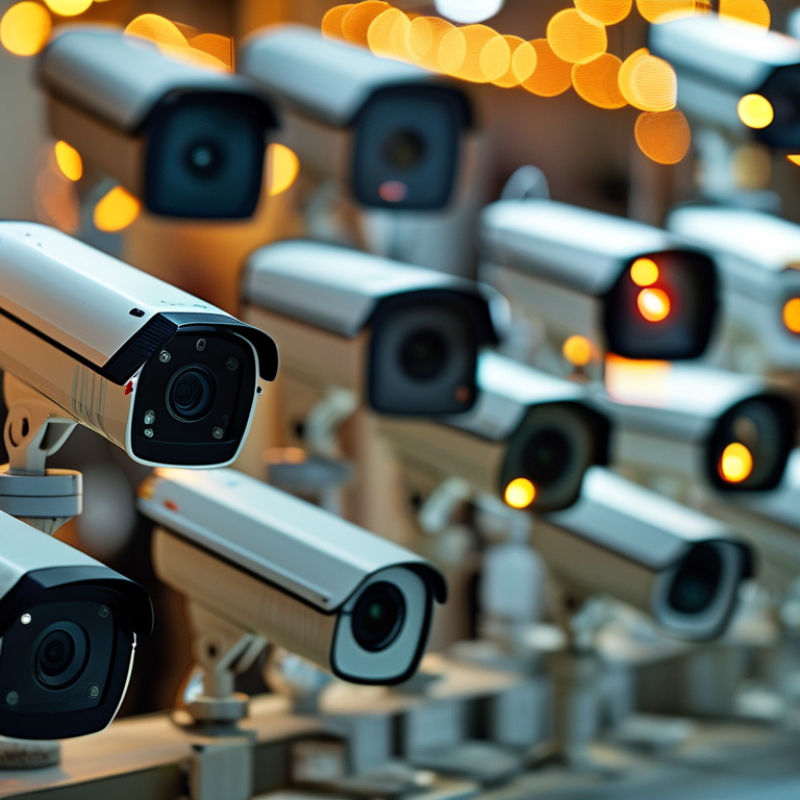
When trying to identify if a security camera is actively recording, there are several signs to look for. Many cameras have indicator lights. A flashing or solid red light often means the camera is recording. Some models use green lights to indicate power, while red suggests activity. If a camera has no visible lights, testing with other methods can help.
Check for the lens’ movement. Modern security cameras may pivot or zoom when recording. Others have a slight motor sound as they adjust to monitor activities. If you notice any subtle noises, the camera is likely in operation. Also, consider how the camera connects to a recording device. Wired cameras often split into a DVR or NVR, which should be examined to check if it shows any recent footage.
For those genuinely interested in home security, an ongoing check is beneficial. Regularly observing the camera can provide insights. Consider the location of the camera too. If it is placed in a high-focus area, it is more likely to record frequently. Always remember, transparency in operation helps build trust. Sometimes, understanding the limitations of what you observe is essential for effective security management.
Identifying whether a security camera is actively recording can be straightforward if you know what to look for. Many cameras feature LED lights that indicate their status. A solid light often means the camera is recording, while a blinking light might indicate standby mode. These signals can vary, but they're essential indicators to watch.
In some cases, there may be no visible indicator at all. This lack of a visual signal can make it challenging to determine if recording is occurring. It's important to inspect the camera closely for small indicators on the body. Some devices might emit subtle sounds or vibrations when recording, but not all. Knowledge of a camera's specific model can help in understanding its behavior.
Different cameras also have unique ways of showing recording status. Even with indicators, assumptions can lead to mistakes. Some users may overlook signs, especially in poorly lit environments. Regularly reviewing your camera's manual can help clarify these details. Understanding these nuances enhances your awareness of security systems and their functionality.
When evaluating if a security camera is actively recording, several features can provide insight. One common sign is the presence of a recording indicator light. Many cameras have a small LED that illuminates when recording. However, not all models have this feature, so it's not a definitive indicator. According to a 2022 report by the Security Industry Association, around 40% of consumers prioritize this visual cue.
Another important aspect is the camera’s audible alerts. Some recording cameras emit sounds when engaged, such as beeps or clicks. This could be a sign of motion detection or recording activation. Notably, studies indicate that only 30% of users are aware of their camera's audio features. The absence of sound does not mean the camera isn't recording; it might simply be a silent model.
Lastly, users should check for the storage indicators. Cameras equipped with memory cards typically show remaining storage on their app or display. If storage is low, recordings may be overwritten. A 2021 industry survey indicated that 25% of users didn’t monitor their camera’s storage status. Regular checks can ensure footage is available when needed.
Identifying whether a security camera is actively recording can be crucial for personal safety. Using your smartphone to check camera functionality is an effective method. Many modern security cameras feature LED indicators that emit a light when recording. However, this can vary by model and brand. A study by the Security Industry Association shows that approximately 70% of users are unaware of how to interpret these indicators correctly.
To utilize your smartphone, open the camera app and point it at the security camera. Look for infrared lights that are invisible to the naked eye but detectable by your smartphone camera. These lights often indicate that the camera is functioning properly. It's important to remember that not all cameras use visible signals. A report from MarketsandMarkets indicates that 40% of consumers report confusion about indicator lights.
While this method can provide useful insights, it’s not foolproof. Some cameras may not have visible indicators at all. Others could be malfunctioning without any visual cues. Regularly checking the camera's functionality can help identify these issues early. Keeping a log of your checks can enhance awareness of operational status. It’s better to be vigilant and question functionality than to assume security is intact.
When assessing whether a security camera is actively recording, physical signs can offer valuable insights. Look for lights on the camera. A flickering or steady red light often indicates that the camera is recording. In contrast, a camera without such indicators may be inactive. Pay attention to any sound it emits, as some models make subtle noises while recording. These audio cues can be a clear sign of activity.
Next, consider the camera's positioning and orientation. If the camera is frequently adjusted or seems to be monitoring specific areas more closely, it may be capturing footage. Notice any signs of wear on the camera, which might suggest regular use and recording activity. Some cameras have a clear lens. If it looks clean and focused, recording is likely happening. Remember that not all systems visibly indicate their status.
Finally, examine the surrounding area for other tech. Things like DVRs, cloud storage devices, or associated warning signs may imply recording as well. Be mindful that not every sign guarantees activity; sometimes, cameras are present but not operational. Observing inconsistencies can also signal the need for further investigation.
When checking if a security camera is actively recording, consulting user manuals is essential. These manuals provide specific instructions on how to identify recording status. Many cameras have indicator lights. A blinking light may suggest the camera is recording. An always-lit light often means standby mode. Yet, depending on the model, these signals can vary.
Manufacturer information is another important resource. It often clarifies features that aren’t in the manual. Some brands include mobile apps that show real-time recording status. This can add a layer of convenience for busy users. However, software glitches can lead to inaccuracies. Regularly updating these applications may prevent misunderstandings about the camera’s activity.
Users should reflect on their understanding of technology. Some might find manuals confusing or too technical. It’s not uncommon for people to misinterpret visual indicators. Taking the time to learn about your specific model can prevent confusion later. Understanding the nuances of your security system adds to its effectiveness. It can also enhance your peace of mind when you know exactly how it functions.
: Look for a recording indicator light. A blinking or steady light usually means recording.
Yes, some cameras emit sounds like beeps when recording. Not all cameras have this feature, though.
Check the camera’s storage indicators. Low storage might mean older footage is overwritten.
Look for lights, sounds, and lens clarity. Wear and positioning of the camera can also suggest recording.
User manuals provide specific details about recording indicators and features for various models.
Regular checks ensure you have access to recent recordings. Many users overlook storage status.
Take time to learn about your camera. Misinterpretation of indicators can lead to confusion.
Yes, some cameras may not visibly show they are recording. Observe inconsistencies in their function.
Definitely. Software glitches or confusing manuals may mislead users about the camera’s status.
Devices like DVRs or cloud storage can indicate recording. Their presence may suggest active monitoring.
When trying to determine "how to tell if a security camera is recording," it's essential to understand various indicators and features that may signal active recording. Many security cameras include status lights that can show when they are actively capturing footage. These lights might flash or remain steady depending on the camera's design. Additionally, understanding common features such as motion detection or scheduled recording can offer further insights into camera functionality.
Another method for checking camera activity involves using a smartphone to connect to the camera’s app, if available, allowing immediate access to live feeds or recordings. Observing physical signs, such as the camera's lens movements or changes in the light settings, can also indicate that it is recording. Finally, consulting the user manual or manufacturer information is a reliable way to understand the specific indicators related to your camera model. By following these guidelines, users can effectively assess whether their security camera is currently recording.

AxizView Camera