In today’s connected world, monitoring home security has evolved significantly. Many users seek ways to enhance their surveillance experience. A growing trend is integrating security camera feeds directly into smart TVs. This allows for convenient monitoring without the need for additional devices.
Research indicates that the smart home market is expected to reach $135 billion by 2025. This growth reveals a heightened interest in smart technology, including security systems. People want efficient ways to manage their home security. However, understanding how to view security camera footage on a smart TV can be challenging. Not all TVs or cameras are compatible, and users may face technical hurdles.
Many still grapple with setup and connectivity issues. Each brand has unique instructions and requirements. Users must be careful not to overlook essential steps. A well-informed approach is necessary to maximize the potential of smart home technology. With the right knowledge, monitoring security footage can become a straightforward task.
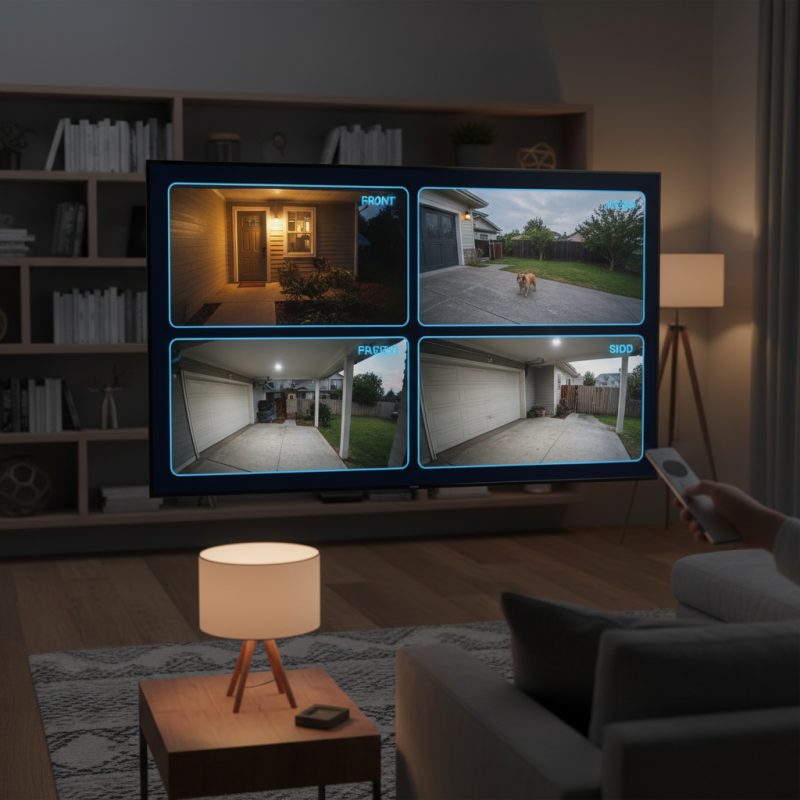
Understanding the Basics of Security Camera Systems
Understanding the basics of security camera systems is essential for any homeowner. A security camera system typically consists of several components: cameras, a recording device, and a viewing platform. The cameras capture video, while the recording device stores this footage for later review. The viewing platform allows you to access the footage from anywhere.
Installation varies by system. You may have wired or wireless cameras. Wireless cameras are easier to install, but signal interference can affect performance. On the other hand, wired cameras often provide more stable connections, albeit with a more complicated installation process. Consider your home layout when choosing the camera type.
Viewing footage on your smart TV is a convenient option. After setting up your camera system, connect it to your TV via HDMI. Ensure that you downloaded the necessary application on your TV. However, compatibility issues can arise. Not all smart TVs support every security system. You may need additional devices, such as a streaming box. Understanding these factors can help streamline your experience.
Choosing the Right Smart TV for Security Footage Viewing
Choosing the right smart TV for viewing security camera footage is essential. Not all smart TVs handle video streams equally. A model with high resolution provides clearer images. Look for features like a good refresh rate. A higher refresh rate helps reduce motion blur. This is important when observing activities in real-time.
Speaking of compatibility, it’s crucial to ensure your smart TV can connect to your security system. HDMI ports are common, but some systems use wireless connections. Check for support of apps related to your security camera. A smart TV with a user-friendly interface enhances the viewing experience. The easier it is to navigate, the better you'll be able to access your footage.
Don’t overlook audio capabilities. While visual clarity counts, quality sound can help identify actions in recordings. Consider the placement of your TV too. A wall-mounted television may offer a better vantage point for viewing. Keep in mind that larger screens can sometimes distort images from lower-quality cameras. Balance size and quality for the best experience.
How to View Security Camera Footage on Your Smart TV
| Smart TV Model |
Screen Size |
Resolution |
Compatible with Security Systems |
Smart Features |
| Model A |
55 inches |
4K Ultra HD |
Yes |
Voice Control, App Store |
| Model B |
65 inches |
Full HD |
Yes |
Smart Assistant, Streaming Services |
| Model C |
75 inches |
8K Ultra HD |
Yes |
AI Upscaling, Multi-Device Control |
| Model D |
50 inches |
HD Ready |
No |
Basic Apps, Screen Mirroring |
| Model E |
60 inches |
4K Ultra HD |
Yes |
Smart Home Integration, Customizable Dashboard |
Connecting Your Security Camera to a Smart TV
Connecting your security camera to a smart TV can enhance your home security experience. It's a straightforward process, but a few tips can make it even easier. To begin, ensure your camera and TV are compatible with each other. Most smart TVs support various connection methods, including HDMI, Wi-Fi, and Bluetooth.
One effective approach is to use a dedicated app. Many cameras offer mobile applications that also work with smart TVs. After installing the app on your TV, sign in to your account. This way, you can access live footage and recordings directly on the screen.
Consider the network connection as well. A stable internet connection is essential for uninterrupted footage viewing. If you experience lag or connection issues, try improving your Wi-Fi signal. Sometimes, relocating your router can make a significant difference.
Another tip is to regularly check for software updates. Updates can enhance functionality, fix bugs, and improve security. Make sure both your camera and TV are up to date. Testing different settings might help you find the best viewing experience. Although the process may seem daunting, with a little patience and experimentation, you can successfully connect your security camera to your smart TV.
Accessing Security Camera Footage via Apps or HDMI
Accessing security camera footage on your smart TV can enhance your security monitoring experience. Many smart TVs now support various apps that allow users to connect their security systems directly. To access the footage, start by downloading the relevant app from your TV’s app store. Ensure your smart TV is connected to the internet. Once installed, log into the app with your credentials. This should give you an immediate view of your camera feed.
Using an HDMI connection is another method. If your security camera system has an HDMI output, connecting it to the TV can provide a larger view. Simply run the HDMI cable from the system to your TV’s HDMI port. Switch the input source on your TV, and you should see the feed. This method may require some tweaking with settings on the camera system.
Tips: Regularly test the connection. Ensure your internet is stable. An unstable connection may cause delays in video streaming. Also, consider the camera angles you are viewing. Sometimes, adjusting these can give a clearer view. Monitor the app updates for new features that improve your experience. Be mindful that not all apps provide the same reliability.
Security Camera Footage Access Methods
Troubleshooting Common Issues with Smart TV Footage Viewing
Troubleshooting issues with smart TV footage viewing can be frustrating. Many users encounter difficulties connecting their security cameras to their TVs. According to a report by Parks Associates, about 30% of consumers face issues when integrating smart home devices with entertainment systems. Common problems include poor Wi-Fi signals and compatibility issues between devices.
Another prevalent challenge is the quality of footage. Users often report pixelated or lagging video streams. A study from Statista reveals that 45% of smart TV users have experienced streaming difficulties at least once. These issues can arise from outdated firmware or inadequate internet bandwidth. Ensuring that both the security camera and smart TV are updated can help improve performance.
Sometimes, the configuration settings are the culprits. Many overlook the importance of properly setting up their network and device preferences. It is critical to check the network settings on both the camera and the TV. Adjusting the resolution settings can also significantly enhance viewing quality. If users consistently encounter issues, consulting the device manuals or seeking support from community forums may provide effective solutions.
Conclusion
In today's tech-savvy world, knowing how to view security camera footage on a smart TV can significantly enhance your home security experience. Understanding the basics of security camera systems is essential, as it helps you select the right smart TV that supports the desired features for effective viewing.
Once you have the appropriate equipment, connecting your security camera to the smart TV can be accomplished either through apps designed for this purpose or by using an HDMI cable for direct access. It's also crucial to familiarize yourself with troubleshooting common issues that may arise during the viewing process, ensuring that you can enjoy seamless access to your security footage whenever needed. By following these guidelines, you can confidently monitor your property through an integrated smart TV setup.

 AxizView Camera