Sharing a security camera with trusted family members can make daily life safer and less stressful. A parent might check an elderly relative’s front door, while a partner watches a sleeping baby from work. Yet convenience should never replace careful access control.
This guide explores How to share security camera access with family members? It explains account invitations, permission levels, temporary access, password hygiene, and two-factor authentication. The safest approach usually avoids sharing one master password. Instead, create separate user profiles through the camera’s official app. Give each person only the access they genuinely need. Viewing access may be enough. Administrative control may be unnecessary.
Security technologist Bruce Schneier has said, “Security is a process, not a product.” His warning fits connected cameras well. A device may be secure today, but family circumstances can change tomorrow. Someone may lose a phone, replace an email address, or stop needing access. Review the user list regularly. Remove inactive accounts promptly. Check notification settings, too. A camera facing a hallway can reveal private routines through alerts alone.
Small details matter. Confirm the camera angle before inviting anyone. Avoid exposing bedrooms, workspaces, or sensitive documents. Update the camera firmware through the manufacturer’s official channel. Never rely on convenience blindly. I once treated shared access as harmless until I noticed how many notifications it created. That mistake changed my view. Good sharing is not simply generous; it is limited, visible, and reversible. This introduction prepares readers to compare safer sharing methods and recognize where family trust still needs technical boundaries.
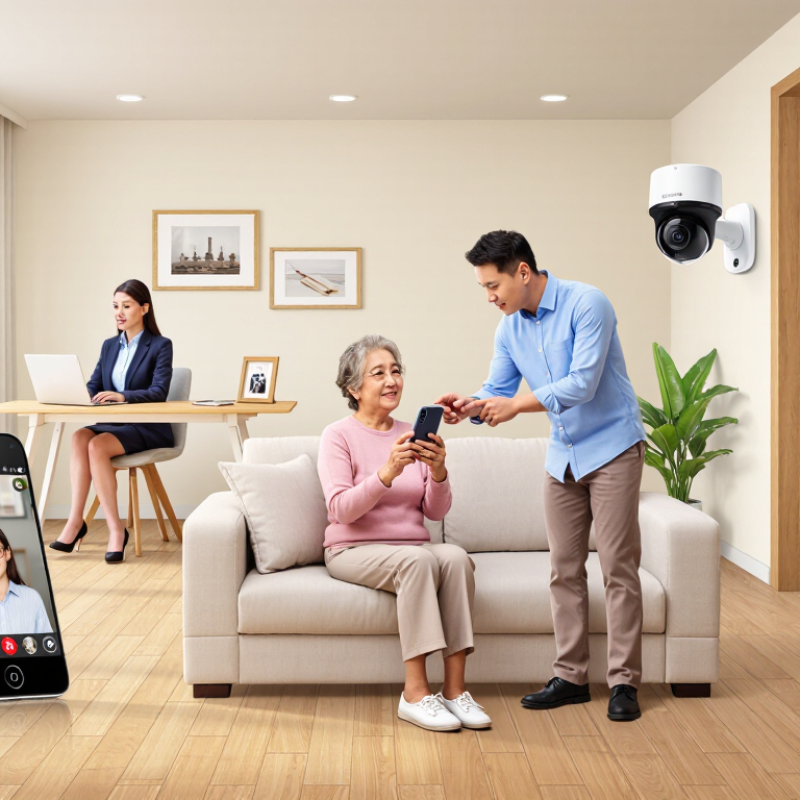
Sharing security camera access with family members can strengthen everyday home safety. A trusted relative may notice an open gate, a delivery left outside, or unusual movement when the homeowner is away. This matters for older adults, too. AARP’s 2024 Home and Community Preferences Survey found that 75% of adults aged 50 and older want to remain in their current homes as they age. A shared view can help relatives check on a parent without making every visit feel intrusive.
Quick awareness helps.
A family member might see a fall, smoke, or a child waiting at the door. The National Fire Protection Association reported an average of 358,500 home structure fires each year from 2016 to 2020 in the United States. Cameras cannot replace smoke alarms or emergency services, but they can provide visual context during a confusing moment. That context may help relatives decide whether to call for assistance.
Access should remain limited and deliberate. Use individual accounts, multi-factor authentication, and permission settings recommended by the National Institute of Standards and Technology. Avoid sharing one permanent password. Review access when someone moves, changes roles, or no longer needs it. Privacy still matters. A camera facing a bedroom or bathroom creates unnecessary risk, even inside a family home. Shared monitoring can improve safety, but it can also encourage constant checking. That part deserves honest reflection.
| Safety Dimension | Family Safety Benefit | Practical Use Case | Recommended Access Setting | Privacy Consideration |
|---|---|---|---|---|
| Faster emergency awareness | More than one trusted adult can notice alerts and respond when the primary resident is unavailable. | A relative receives a motion or door alert while the homeowner is working, driving, or traveling. | Real-time alerts and live-view access for selected cameras. | Share only with known family members and remove access when circumstances change. |
| Elderly family support | Allows family members to check agreed areas and identify possible falls, unusual inactivity, or unexpected visitors. | An adult child checks an entryway or common area after an elderly relative does not answer a call. | Limited live view, event notifications, and activity schedules. | Avoid bedrooms, bathrooms, and other spaces where privacy is expected. |
| Child arrival monitoring | A trusted caregiver can confirm that a child arrived home safely without requiring the child to answer immediately. | A grandparent verifies arrival at the front entrance after school. | Event alerts for exterior doors and temporary access for caregivers. | Explain monitoring rules to children and limit access to relevant exterior views. |
| Travel and vacant-home checks | Family members can help review unusual activity when residents are away, creating shared oversight. | A nearby relative checks an exterior camera after an unexpected delivery or alert. | Temporary access with notifications for entrances and outdoor areas. | Set an expiration date for travel-related access and review activity logs afterward. |
| Package and visitor awareness | A family member can identify expected visitors or deliveries and help distinguish routine activity from suspicious behavior. | A relative confirms whether a delivery was placed in a visible, agreed location. | Event clips or live view for the front door and driveway only. | Do not share footage beyond the household unless there is a legitimate safety or legal reason. |
| Backup response planning | Shared access reduces dependence on one person and supports a pre-agreed response plan. | If an alert appears, the assigned family member calls the resident, checks the live view, or contacts emergency services when appropriate. | Role-based access with clearly assigned responsibilities. | Family members should understand that cameras do not replace emergency services or in-person welfare checks. |
| Evidence preservation | Authorized relatives can help save relevant footage when an incident requires documentation. | A family member preserves a time-stamped clip after property damage or an attempted break-in. | Download or event-history permission for designated adults only. | Store and share footage securely, and avoid posting identifiable recordings publicly. |
| Account security and access control | Individual accounts make it easier to identify users, manage permissions, and revoke access without changing the main household password. | The homeowner grants a caregiver limited access and removes it when caregiving ends. | Use separate user accounts, strong unique passwords, and multi-factor authentication where available. | Review authorized users regularly and never share the primary account password. |
A trusted relative can notice an open gate, a package outside, or unusual movement. Quick awareness helps. Cameras provide context when someone is away. They do not replace smoke alarms or emergency services.
Yes, relatives can check on an older parent without making every visit feel intrusive. A hallway view may show a fall or missed movement. The camera should support care, not quietly replace human contact.
Discuss what each camera sees, records, and sends. Consent comes first. Agree on viewing times, saved clips, and outside sharing. These conversations may feel awkward, but avoiding them causes trouble later.
Avoid bedrooms, bathrooms, and other private spaces. A front-door camera can still capture visitors, neighbors, or children nearby. Place cameras toward necessary areas, not personal moments.
Use separate accounts and individual sign-in protection. One person may need live video, while another only needs emergency alerts. A caregiver might need a hallway view during visits. They may not need private areas.
Audio can capture conversations unexpectedly. Explain this clearly before enabling it. Check local requirements before recording sound. Honestly, audio may create more privacy concerns than expected.
Review access after a move, conflict, caregiving change, or household departure. Remove former residents and temporary guests promptly. Temporary access needs an end date. I once treated this as optional, and that was a mistake.
Keep recordings only as long as necessary. Check access logs monthly, especially after holidays or household moves. Investigate unusual activity calmly before making accusations. Keep it limited.
Sharing security camera access with family members can improve household safety by giving trusted relatives a clearer view of children, older adults, pets, and property when someone is away. It can also support faster monitoring and emergency response, since more than one person may notice unusual activity, receive alerts, or help assess a situation. The key question is: How to share security camera access with family members? Begin by discussing who genuinely needs access, what areas may be viewed, and when monitoring is appropriate. Consent and privacy should remain central, especially for bedrooms, private spaces, guests, and household members who may not want to be recorded.
Safe sharing requires individual accounts, limited permissions, strong passwords, and two-step verification where available. Avoid sharing one universal password, review access logs, and update settings regularly. Family members should understand how to use the system responsibly and protect recorded footage. When circumstances change, such as a move, separation, or change in caregiving responsibilities, promptly remove unnecessary access and review all connected users and devices.

 AxizView Camera